
Shubham Upadhyay

Senior Backend Architect

Open to Collaborate
Bengaluru, IN
Connect Channels
DEVELOPER TOOL / CLI 2024 – Present

SQL Doctor

A developer-first terminal toolkit to inspect, diagnose, optimize, and safely manage SQL databases.

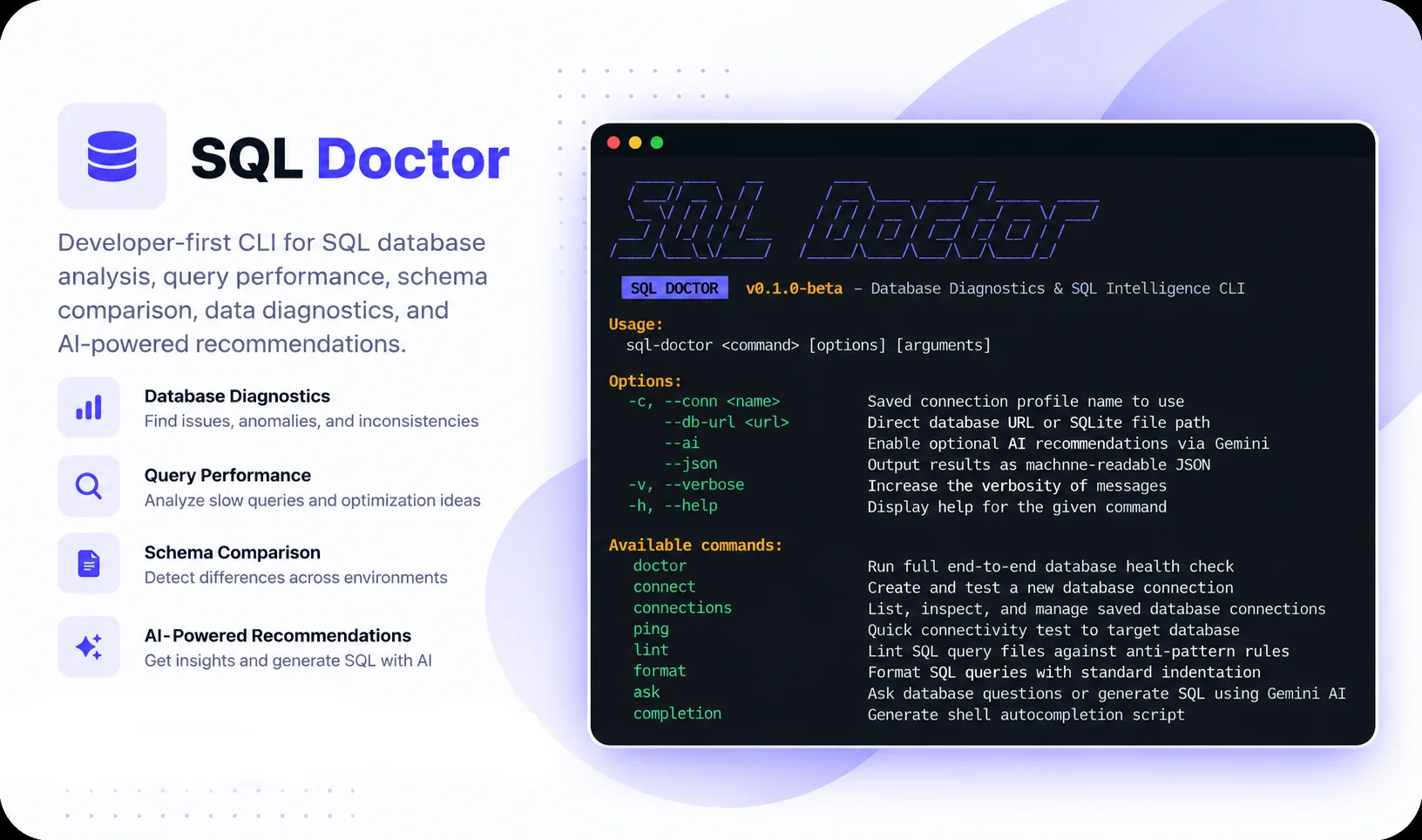
SQL Doctor is a lightweight, single-binary terminal toolkit written in Go to diagnose slow queries, inspect schema health, compare databases, and validate migration safety before production rollout. Built around deterministic database facts first, with optional Gemini AI assistance.

SQL Doctor Preview
01.

The Problem: Database Regressions Don't Fail at Compile Time

As backend developers, we interact with SQL databases every single day. Yet whenever a query starts running slowly, the developer experience is surprisingly frustrating.

You run EXPLAIN and get hit with a wall of cryptic, nested JSON or a raw tabular dump with twenty columns. Figuring out why MySQL picked an expensive filesort, or why PostgreSQL chose a sequential scan over an index scan, requires mental gymnastics.

When preparing a release, checking whether your staging database matches production usually means manually eyeballing table schemas or hoping someone didn't forget a migration.

And when writing migrations, there is always that lingering anxiety: will this ALTER TABLE ... ADD COLUMN NOT NULL silently trigger an exclusive metadata table lock that freezes checkout and brings down the site under load?

Most database GUI clients like DBeaver or TablePlus are great at browsing rows and tables, but they don't tell you what is actually wrong with your database. I wanted a tool that behaves like a senior DBA sitting in your terminal—giving you clear, deterministic diagnoses and actionable fixes in milliseconds.

“Database regressions don't announce themselves with compiler errors. They quietly build up technical debt until peak traffic takes down production.”

— Shubham Upadhyay

02.

The Core Philosophy: Real Database Facts First, AI Second

In the current rush to slap AI on everything, many tools try to guess what is wrong with a query simply by feeding the SQL string to an LLM. That doesn't work for databases. An LLM cannot know your table cardinality, index selectivity, hardware constraints, or buffer pool state. SQL Doctor is built around a simple principle: deterministic database facts first, AI strictly second.

The "AI Guesswork" Trap

  • Feeds raw SQL queries into an LLM without seeing actual database execution plans.
  • Hallucinates nonexistent indexes or recommends index configurations that don't match the specific database engine.
  • Zero awareness of table row counts, data distribution, or unindexed foreign keys.
  • Sends your private database schema and query tokens to third-party cloud servers on every command.

The SQL Doctor Approach (Facts First)

  • Runs real non-blocking EXPLAIN queries directly against the database engine (MySQL, MariaDB, Postgres, SQLite).
  • Inspects actual rows examined vs rows returned ratios to detect unindexed full-table scans.
  • Samples real data values to recommend tighter, faster data types based on observed column lengths.
  • AI is strictly optional: you configure your own Gemini API key only if you want natural-language query generation or conversational summaries.
03.

How the CLI is Built (Architecture)

SQL Doctor is written in Go as a single static binary with zero external runtime dependencies. Commands are dispatched via Cobra, parsed with a Vitess SQL AST parser, and executed through pluggable database driver adapters. Inspection outputs are rendered in high-contrast terminal tables with Lip Gloss or exported as clean JSON for CI pipelines.

Developer CLI
(Terminal / CI)
←––→
Cobra Engine
(Command Dispatch)
–––→
Query & AST Engine
(EXPLAIN & Index Advisor)
Diagnostic Core
(Composite Health & Drift)
Schema & Data Advisor
(Sampling & Migration Locks)
–––→
Target Databases & APIs
MySQL & MariaDB
(Local / Remote DB)
PostgreSQL
(Local / Remote DB)
SQLite
(Embedded Local File)
Google Gemini
(Optional Cloud AI)
04.

Everyday Terminal Workflows: What SQL Doctor Actually Does

SQL Doctor consolidates the most common database headaches into quick, dedicated terminal commands:

Database Health & Smells (sql-doctor doctor)

Runs a full diagnostic across your entire schema. Generates an overall health score and flags tables missing primary keys, unindexed foreign keys, redundant duplicate indexes, and orphan records.

  • Missing Primary Key Detection
  • Unindexed Foreign Key Warnings
  • Redundant Duplicate Indexes
  • Orphan Record Counter

Query Profiler & Index Advisor (sql-doctor query)

Profiles slow queries to show execution time and rows examined vs returned. Visualizes execution plans in plain English and recommends composite indexes following the Equality -> Range -> Sort rule.

  • Plain-English EXPLAIN tree rendering
  • Equality -> Range -> Sort index recommendations
  • Unindexed full table scan alerts
  • Vitess AST static linting & formatting

Schema Drift & Migration Safety (sql-doctor db & migration)

Compares two databases side-by-side to generate exact ALTER TABLE migration SQL. Checks migration scripts for destructive DROPs, table rewrites, and exclusive metadata locks before rollout.

  • Side-by-side schema diff & DDL generator
  • Table rewrite lock detection
  • Data-aware column type advisor (VARCHAR vs CHAR/UUID)
  • Machine-readable --json output for CI/CD
05.

Security & Production Safety: Built for Real Environments

When building a tool that connects to databases, safety cannot be an afterthought. Running commands against staging or production requires strict operational guardrails:

Production Safety by Default

  • Read-Only Transactions: Diagnostic inspections and health checks run in read-only transactions wherever the database engine supports it.
  • Local Credential Storage: Connection strings and credentials are saved locally in ~/.sql-doctor/ with restricted user-only permissions (0600).
  • Masked Credentials: Passwords and connection secrets are always masked on terminal screens and in command logs.
  • Destructive Command Safeguards: If an AI query generation produces an UPDATE, DELETE, or DROP, SQL Doctor warns in bold red text and requires explicit interactive confirmation.

Privacy & Zero Telemetry

  • Zero Telemetry: SQL Doctor does not call home, does not collect usage telemetry, and has no cloud tracking backend.
  • Your Data Stays on Your Machine: Schema inspections, data sampling, and query profiling happen 100% locally on your machine.
  • User-Owned AI Keys: No requests are proxied through a third-party server. You configure your own Gemini API key if you choose to use AI features.
  • Single Static Binary: Compiled down to a single standalone Go binary with zero external runtime dependencies or background services.
06.

Quick Project Facts & Setup Details

A summary of key technical facts, supported database engines, and runtime details for SQL Doctor:

Core Language Go (Golang 1.26+)
Binary Distribution Single static standalone binary (Linux, macOS, Windows)
Database Drivers MySQL / MariaDB, PostgreSQL (pgx/v5), SQLite (pure-Go modernc)
SQL Parser Vitess SQL AST Parser (static linting, anti-patterns, formatter)
Terminal UI Cobra CLI + Charm Lip Gloss (Chroma syntax coloring)
AI Engine Google GenAI SDK (Gemini 1.5 Flash / Pro, user-provided API key)
CI / Automation Full --json flag support across all commands for CI/CD integration
License MIT License (Open Source)
07.

What I Learned Building This

Building SQL Doctor in Go gave me a deep appreciation for the differences between database engines. While MySQL, PostgreSQL, and SQLite all speak SQL, their execution models, query planners, and locking semantics are vastly different. Abstracting those engine-specific quirks behind clean Go interfaces taught me more about database internals than years of standard application development.

The other major takeaway was that developers don't want another heavy GUI client. Tools like DBeaver, DataGrip, and TablePlus are great for editing table rows, but when you are in the flow of coding, you want fast, terminal-first answers. Being able to type sql-doctor doctor or sql-doctor query analyze and get an instant diagnosis in under 15 milliseconds keeps you in your flow.

Finally, prioritizing deterministic heuristics over pure AI was the right decision. AI is fantastic for explaining why a query plan works the way it does, but relying on actual database metrics—rows examined, index coverage, and table statistics—is what makes the advice trustworthy.

Chat on WhatsApp
Navigating...